You know the loop. You feed your design to an AI product photography tool, it comes back beautiful, and then you zoom in. The type has re-rendered into something that looks like your font. The logo has an extra stroke. The print has warped in a way that no fabric warps.
So you generate again. And again. Twelve credits later you've got a gorgeous image of somebody else's design.
This isn't a bug in one tool — it's how they all work. General image models treat your artwork as a suggestion: one more thing in the prompt to be reinterpreted alongside the lighting and the pose. That's fine when the subject is a bottle. It's fatal when the subject is the graphic.
We built Studio Innate because we kept hitting this ourselves. The design is the entire point. Everything else in the frame is decoration.
Your design is the product. Everything else is set dressing.
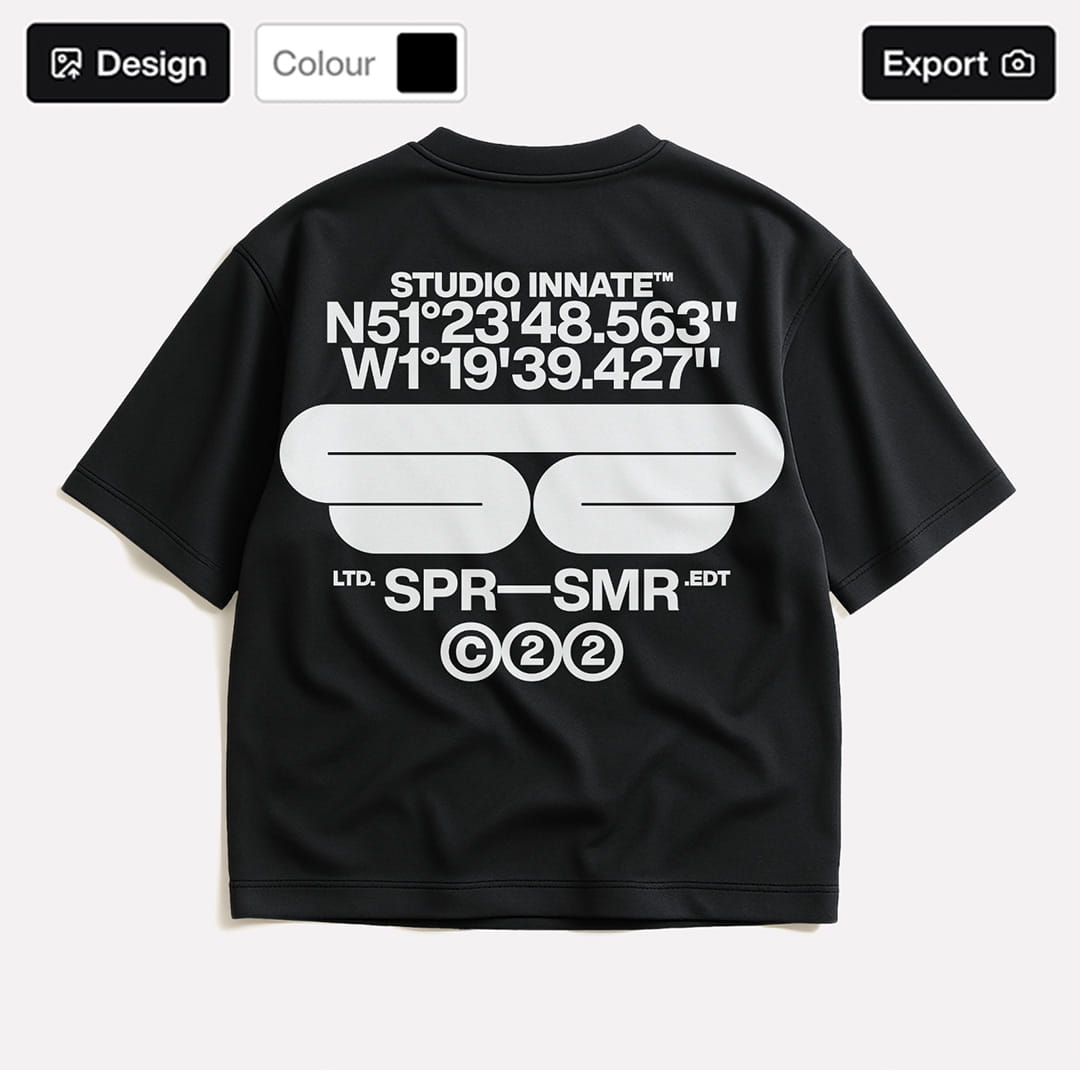
Most tools describe your product to the AI in words and hope it draws it back correctly. We don't describe it. We composite it.
Your finished mockup — artwork placed, coloured, positioned exactly as you set it — becomes the live image prompt. Hard-coded parameters then constrain what the model is allowed to touch. It can generate the model, the studio, the street, the weather, the motion. It cannot generate your graphic, because your graphic was never up for generation.
That's what we mean by zero-drift. Not "very accurate." Structurally unable to drift.
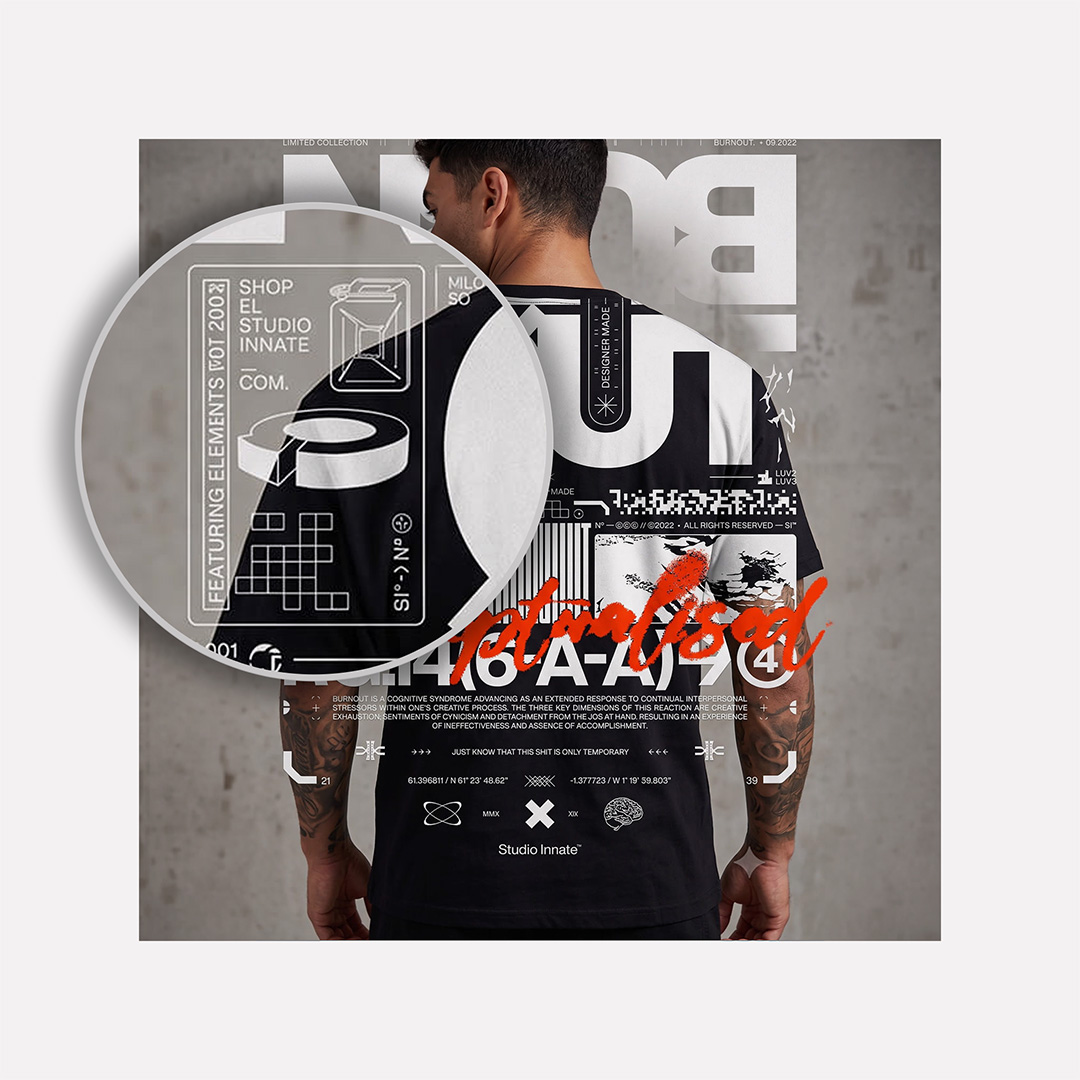
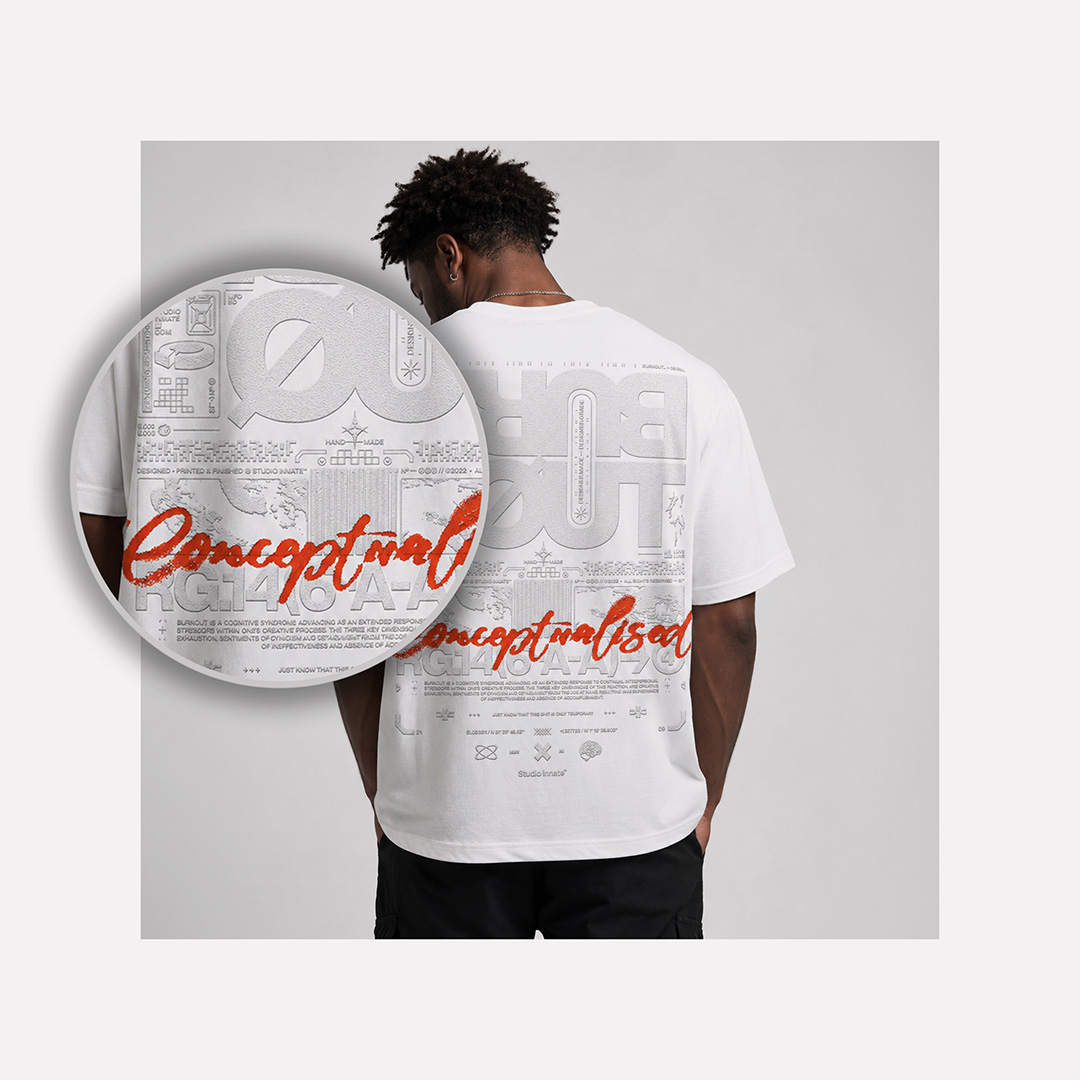
We ran one piece of artwork — a typographic streetwear print, the hardest possible case — through the four AI photoshoot tools people compare us to, then through ours. Same garment, same brief, one generation each, no cherry-picking.
Generated 06/08/2026, one attempt per tool, default settings. Full-resolution crops available on request.

Search for a hoodie mockup and you'll find hundreds of free PSDs. Then you'll discover the catch: a 400MB download, a copy of Photoshop at £20 a month, a smart object layer that needs finding, and an afternoon working out why your artwork looks flat against the fabric.
We build the same quality of mockup — better, if you ask Chris Do — and put it behind a URL instead of a download. Upload, position, colour, export. Three clicks, any device, nothing installed.
The honest version: if your product is a bottle, a chair or a jar of moisturiser, the tools built for photographed products will serve you well. If your product is a graphic — a print, a logo, a piece of type — you need something that treats it as fixed. That's the entire reason this exists.
| Compare |
Traditional A real photoshoot |
Generative General AI (Midjourney, ChatGPT) |
Automated AI product photography tools |
Studio Innate Design-file mockups |
|---|---|---|---|---|
|
What you start with
Everything else needs a physical object or a written prompt before you can begin. We start from the artwork you already have open.
|
A physical sample | A text description | A photographed product | Your design file |
|
Design accuracy
Generative tools reinterpret your graphic every render, so logos and type drift. Your artwork is mapped onto the garment exactly as supplied — every pixel where you put it.
|
Perfect | Redrawn every time | Approximate | Pixel-locked |
|
Cost per campaign
A shoot means models, studio hire, a photographer and a retoucher. Subscriptions start at £24/mo with unlimited exports and cancel anytime.
|
£500–£5,000 | Credits + hours of retries | Subscription | From £24/mo |
|
Time to first image
No sampling, no scheduling, no prompt roulette. Drop your artwork in and export a finished image in the same sitting.
|
2–6 weeks | Minutes, then hours of retries | Minutes | Minutes |
|
Needs a sample made
Photography — human or AI-assisted — needs a real garment in front of a lens first. You can market a design before a single unit is printed.
|
Yes | No | Yes | No |
|
Video
Motion is normally a separate line item or an afterthought. MP4 exports are part of the same workflow, at no extra cost.
|
Extra shoot day | Limited | Sometimes | Included |
Start from the file you already have. See plans from £24/mo — unlimited exports, cancel anytime.
Every scene you build can move. Generate cinematic video from the same pixel-locked mockup — social portrait for Reels and TikTok, landscape for the site and paid social. One design, a still campaign and a video campaign, in an afternoon.
Hollow-body product shots for your listings, generated directly from artwork. No sample, no invisible-mannequin retouching.
Choose the model, the styling and the setting. Generate the same garment on a range of bodies without booking anyone.

Chris Do,
The Futur / Blind








Get a feel for the core features
No credit card required
Choose your editor
Cancel anytime / Secure payment
Cancel anytime / Secure payment
Cancel anytime / Secure payment
Save 25% vs buying separately
Cancel anytime / Secure payment
Get a feel for the core features
No credit card required
Choose your editor
Cancel anytime / Secure payment
Cancel anytime / Secure payment
Cancel anytime / Secure payment
2 months free vs monthly
Cancel anytime / Secure payment
Choose your editor
Cancel anytime / Secure payment
Cancel anytime / Secure payment
Cancel anytime / Secure payment
For studios with up to 5 users
Cancel anytime / Secure payment
Agencies & Large Scale Usage
Build a plan for your agency
Choose your editor
Cancel anytime / Secure payment
Cancel anytime / Secure payment
Cancel anytime / Secure payment
For studios with up to 5 users
Cancel anytime / Secure payment
Agencies & Large Scale Usage
Build a plan for your agency
Full Commercial License. Unlimited Editor Exports. Scalable Generation Credits
Need extra monthly generation capacity for your campaigns? Top up now or scale your plan anytime.
Quick answers to the questions that come up most.
No. Your design is composited as a fixed layer before generation begins, so the model has no ability to redraw it. It generates the scene around your artwork, never over it.
Those describe your design in words and redraw it from that description, which is why type and logos come back wrong. We use your finished mockup as a live image prompt with hard-coded constraints, so the artwork is carried through unchanged.
No. You start with a flat design file. That's the whole point — you can shoot a campaign for a garment that doesn't exist yet.
PNG, SVG and PSD. Transparent backgrounds are handled automatically.
Yes. All plans include a full commercial licence with unlimited editor exports.
No. Everything runs in the browser on desktop, tablet or phone.
The free plan includes starter AI credits. Scene Editor at £24/mo starts with 400 credits a month, and you can add capacity from your dashboard at any time.
Yes. Cinematic video generation is included on Scene Editor plans, in social portrait or landscape.
No download, no card, no tutorial. Upload a design and you'll have a finished mockup before you'd have finished downloading a free PSD.
| Cookie | Duration | Description |
|---|---|---|
| cookielawinfo-checkbox-analytics | 11 months | This cookie is set by GDPR Cookie Consent plugin. The cookie is used to store the user consent for the cookies in the category "Analytics". |
| cookielawinfo-checkbox-functional | 11 months | The cookie is set by GDPR cookie consent to record the user consent for the cookies in the category "Functional". |
| cookielawinfo-checkbox-necessary | 11 months | This cookie is set by GDPR Cookie Consent plugin. The cookies is used to store the user consent for the cookies in the category "Necessary". |
| cookielawinfo-checkbox-others | 11 months | This cookie is set by GDPR Cookie Consent plugin. The cookie is used to store the user consent for the cookies in the category "Other. |
| cookielawinfo-checkbox-performance | 11 months | This cookie is set by GDPR Cookie Consent plugin. The cookie is used to store the user consent for the cookies in the category "Performance". |
| viewed_cookie_policy | 11 months | The cookie is set by the GDPR Cookie Consent plugin and is used to store whether or not user has consented to the use of cookies. It does not store any personal data. |
Get instant access to the Scene Editor and 3D Editor. No credit card required.
View