Fluted, beveled or liquid glass over your artwork — real refraction, chromatic dispersion and bloom. Live in your browser, nothing to install.
Glass type is the first decision and it changes what the panel below it does.
Fluted / Ribbed is repeating lens columns — the reeded glass you get in bathroom windows and cabinet doors. Panel / Bevel is a flat sheet with a shaped edge, which is the mode for glassmorphism. Liquid / Wave ripples the surface like poured or heat-warped glass. Cast / Textured is irregular, hand-made surface.
Flutes — Width sets the column spacing and Angle rotates them off vertical. Refract is how hard each column bends the light behind it. Profile changes the lens cross-section: Round is a true half-cylinder, Prism gives hard-edged facets, Sine is gentler, Soft barely bends at all. Curve shapes the falloff and Jitter breaks the regularity so it reads as made rather than generated.
Optics — Rim bevel and Rim bend shape the edge of the glass where it meets nothing, with Rim shape switching between Lens, Linear, Smooth and Chamfer profiles. Dispersion splits the spectrum at every refracting edge, which is the single control that separates real glass from a blur. Frost is the milky scatter, with Frost axis letting you blur along the flutes rather than in every direction. Flow smears along the direction the glass is bending light, so it stays sharp where the glass is flat and streaks where it curves.
Frost order deserves its own section. See below.
Mask lets the glass cover the whole image with shapes cutting holes, or sit only inside shapes you place. Add rectangles and circles, set radius and feather, and invert to swap which side is glass. That’s how you get a panel floating over artwork rather than a full-frame treatment.
Edge light is the rim highlight. Width, align and softness shape it; bands runs a gradient along the band angle so the rim glints in and out rather than sitting at one even brightness. Set bands to 0 for a plain bevel.
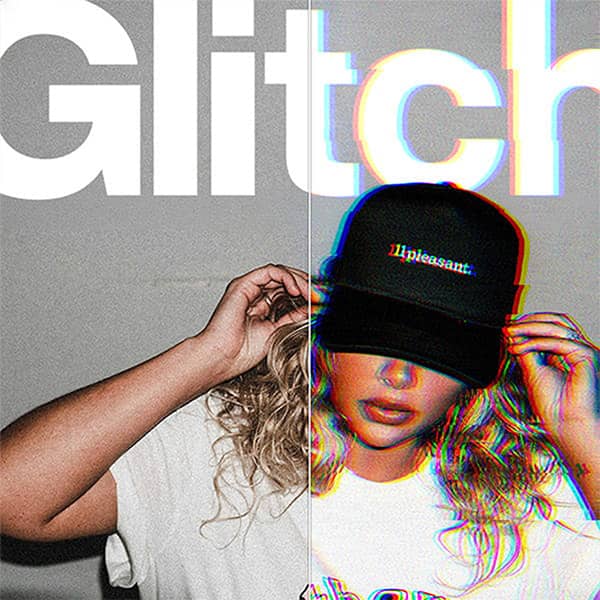
Drop shadow, glitch, overlay textures and glass tone finish it. Drop shadow only shows where glass meets non-glass, so set the mask to Shapes only if you want a panel that floats.
Behind the glass blurs your artwork before it’s refracted. The flute seams, rim bevels and edge light stay razor sharp while everything behind them goes soft — which is exactly what real frosted glass does, because the scattering happens at the surface you’re looking through, not at the surface you’re looking at.
Over everything blurs the finished result instead, softening the glass structure along with the image. Occasionally what you want for a hazy, distant look. Almost never what you want if the glass is meant to feel present.
If your result looks like a blurred image rather than glass, this is the setting.
To build one here: set glass type to Panel / Bevel, set mask to Shapes only — rest untouched and place a rectangle with a generous radius. Then:
The reason it reads as glass rather than as a translucent rectangle is the edge. A flat white stroke looks like a border; a bevel with a soft directional highlight looks like a lit edge with thickness.
What makes it convincing isn’t the ridges, it’s what happens at their edges. Each column is a lens, so it bends light most steeply where it curves hardest — and because the refractive index varies slightly across the spectrum, those steep edges throw colour. That’s dispersion, and pushing it up is what gives you the prismatic fringing you see through real fluted glass.
For a convincing sheet: moderate width, high refract, profile set to Round, and jitter slightly above zero so the columns aren’t mathematically identical. Add a little frost behind the glass and the artwork dissolves the way it does through real reeded panels.
Apple’s 2025 design language borrowed heavily from real optics — refraction, specular edges, and content that bends as it passes behind a surface rather than simply blurring.
The Liquid / Wave mode with low frost, moderate dispersion and a soft wide edge light gets close. Keep rim bend high so the boundary reads as thick material, and the mask set to Shapes only so the effect sits inside a defined panel.
Worth saying plainly: this is a design tool that exports a PNG, not an implementation of Apple’s system. If you’re building an interface you want the real thing in code — this is for mockups, posters, artwork and anything that needs to look like it.
Here every parameter is live. Change the glass type and the whole thing reflows. Nothing to install, runs on desktop, tablet or phone, exports PNG.
Refraction is that bending. Dispersion happens because the amount of bending depends on wavelength: blue bends slightly more than red, so every steep edge throws a faint spectrum. That’s the fringing on the edge of a fluted column, and it’s the detail that most separates rendered glass from real.
Frost is surface scattering — the glass is roughened so light leaves in every direction, which destroys the image without dimming the light much. That’s why frosted glass is bright but unreadable.
And bloom is what happens when a bright area behind the glass overloads the eye or the sensor, spreading beyond its own boundary. It’s not a glass property at all — it’s the reason glass photographs better than it renders.
Every generator is free to use. Exporting your own work needs a plan. Get the Effects Generator on its own from $12 / month, or the full suite with the Scene Editor, the 3D Editor and 251+ mockup templates.
Get a feel for the core features
No credit card required
AI Scene & Video Studio
Cancel anytime / Secure payment
Get a feel for the core features
No credit card required
AI Scene & Video Studio
Cancel anytime / Secure payment
Set glass type to Panel / Bevel, set the mask to Shapes only and place a rectangle with a generous corner radius. Raise Frost to around 12 to 20 with Frost Order set to Behind the glass, keep Dispersion low, and add a soft wide Edge Light with a large low-opacity drop shadow so the panel lifts off the background.
Behind the glass blurs your artwork before it is refracted, so flute seams, rim bevels and the edge light stay sharp while everything behind them softens. Over everything blurs the finished result instead, which softens the glass structure too. If your output looks like a blurred photo rather than glass, this is the setting to change.
Dispersion splits light into its spectrum at refracting edges, because blue bends slightly more than red as it passes through glass. It is what produces the coloured fringing you see through real fluted glass. Push it up for prismatic edges, keep it low for clean glassmorphism.
Yes. Set Glass Area to Shapes only, then add rectangles or circles and position them over the artwork. Radius and feather shape the edges, and invert swaps which side is glass. That is how you get a floating panel rather than a full-frame treatment.
No. The Liquid / Wave mode produces a similar look and is useful for mockups and artwork, but this is a design tool that exports a PNG rather than an implementation of Apple's design system. If you are building an interface, you want the real thing in code.
The drop shadow is only visible where glass meets non-glass. Set Glass Area to Shapes only so there is an edge for the shadow to fall from — with glass covering the whole image there is no boundary to cast one.
No. This runs entirely in your browser on desktop, tablet or phone. The manual route needs a displacement map, a blurred duplicate layer, a gradient stroke set to Screen for the rim and a mask per shape, all rebuilt whenever you change your mind.
Yes. Every export on a paid plan carries a full commercial licence, with no watermarks and no per-use fees.
| Cookie | Duration | Description |
|---|---|---|
| cookielawinfo-checkbox-analytics | 11 months | This cookie is set by GDPR Cookie Consent plugin. The cookie is used to store the user consent for the cookies in the category "Analytics". |
| cookielawinfo-checkbox-functional | 11 months | The cookie is set by GDPR cookie consent to record the user consent for the cookies in the category "Functional". |
| cookielawinfo-checkbox-necessary | 11 months | This cookie is set by GDPR Cookie Consent plugin. The cookies is used to store the user consent for the cookies in the category "Necessary". |
| cookielawinfo-checkbox-others | 11 months | This cookie is set by GDPR Cookie Consent plugin. The cookie is used to store the user consent for the cookies in the category "Other. |
| cookielawinfo-checkbox-performance | 11 months | This cookie is set by GDPR Cookie Consent plugin. The cookie is used to store the user consent for the cookies in the category "Performance". |
| viewed_cookie_policy | 11 months | The cookie is set by the GDPR Cookie Consent plugin and is used to store whether or not user has consented to the use of cookies. It does not store any personal data. |
Get instant access to the Scene Editor and 3D Editor. No credit card required.
Scene Pro feature
Play with the sample image as much as you like. Scene and Effects Members can run the generators on their own artwork and export the finished file plus print-ready separations.
See membership plans Already a member? Log inView