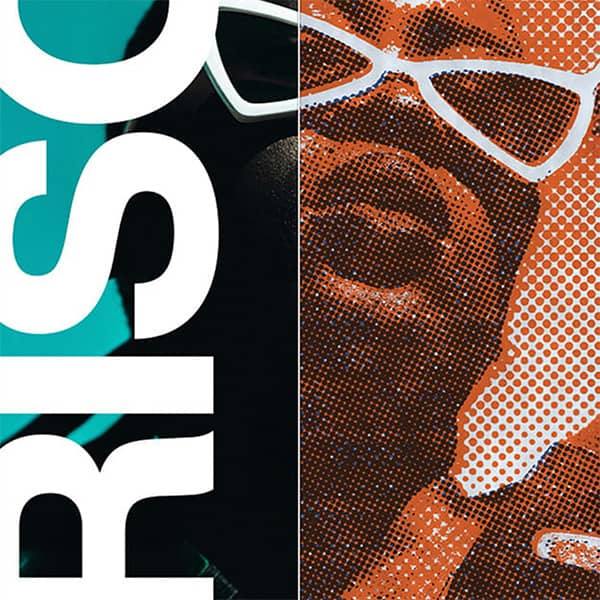
Floyd-Steinberg diffusion, Bayer matrices and grain — with live colour banding. Runs in your browser, nothing to install.
Algorithm → Matrix sets the Bayer matrix size when you’re in Grid — 2×2 gives a coarse, obvious checker, 8×8 a much finer texture with smoother gradation. This is the single control people miss most.
Adjust — Scale sets the size of the dither cell relative to the image, so raise it for a chunkier, more pixel-art result. Contrast matters more here than in most tools, because dithering only has a fixed number of values to work with and contrast decides how they’re distributed. Threshold shifts the whole tonal cut point lighter or darker. Levels is how many tonal steps exist at all — set it to 2 for true 1-bit black and white, raise it for posterised bands.
Tone → Colour Grade and Colour → Full Colour are covered below.
Turn Colour Grade on and you get a band strip with draggable markers. Click any band to set its colour; drag the markers to move where one band ends and the next begins. Your shadows can be deep navy, your midtones a flat red, your highlights off-white — with the dithering still doing the work of blending between them.
That’s a duotone or tritone treatment and a dither in one pass, live, with the thresholds under your control rather than fixed. It’s the difference between a filter and a design tool, and it’s what makes the output look like a considered palette rather than a default.
Leave Full Colour on to dither the original colours; turn it off for pure tonal work.
For pixel art specifically:
Here every parameter is live. Change the matrix, watch it change. Nothing to install, runs on desktop, tablet or phone, exports a PNG.
It exists because early displays and printers had brutal constraints — a 1-bit screen has black and white and nothing else. Rather than crushing every midtone to one or the other, dithering scatters black and white pixels in proportion to the original tone, and from a normal viewing distance you read grey.
Floyd-Steinberg, published in 1976, is the classic error diffusion method and still the default in most software. Bayer ordered dithering predates it and uses a fixed threshold matrix instead, which is why its output has visible repeating structure where Floyd-Steinberg’s does not.
The constraint disappeared decades ago. The look stayed, because it carries the texture of a machine doing its best with too little — and that’s now a deliberate aesthetic across album art, zines, game graphics and streetwear.
(Worth noting: in audio engineering “dithering” means something different — low-level noise added when reducing bit depth. Same principle, different medium. This tool is for images.)
Every generator is free to use. Exporting your own work needs a plan. Get the Effects Generator on its own from $12 / month, or the full suite with the Scene Editor, the 3D Editor and 251+ mockup templates.
Get a feel for the core features
No credit card required
Mockup & Effects Generator plan
Cancel anytime / Secure payment
Get a feel for the core features
No credit card required
Mockup & Texture Generator plan
Cancel anytime / Secure payment
Floyd-Steinberg is error diffusion — it rounds each pixel and pushes the rounding error into neighbouring pixels, giving an organic result with no visible grid. Bayer is ordered dithering, which uses a fixed threshold matrix tiled across the image, giving a regular repeating pattern. Use Diffuse for photographs and Grid for graphics.
Yes. Leave Full Colour on to dither the original colours, or turn on Colour Grade to assign your own colour to each tonal band and drag the thresholds between them. That gives you a duotone or tritone treatment and a dither in a single pass.
It sets the size of the Bayer matrix used by the Grid style. A 2x2 matrix gives a coarse, obvious checkerboard; an 8x8 matrix gives a much finer texture with smoother gradation. It only applies to ordered dithering, not to Diffuse or Grain.
Turn Full Colour off and set Levels to 2. That leaves only black and white, with the dithering pattern doing all the work of representing everything in between. Adjust Threshold to shift the tonal cut point.
Use the Grid style with a 2x2 or 4x4 matrix, raise Scale so each dither cell covers several pixels, and drop Levels to between 2 and 4. Ordered dithering suits pixel art because its pattern is deliberate and repeating, where error diffusion looks irregular.
No. This runs entirely in your browser on desktop, tablet or phone. Photoshop's route is a destructive conversion to Bitmap mode with no live preview, no matrix choice and no colour; here every parameter updates as you change it.
Yes. Every export on a paid plan carries a full commercial licence, with no watermarks and no per-use fees.
| Cookie | Duration | Description |
|---|---|---|
| cookielawinfo-checkbox-analytics | 11 months | This cookie is set by GDPR Cookie Consent plugin. The cookie is used to store the user consent for the cookies in the category "Analytics". |
| cookielawinfo-checkbox-functional | 11 months | The cookie is set by GDPR cookie consent to record the user consent for the cookies in the category "Functional". |
| cookielawinfo-checkbox-necessary | 11 months | This cookie is set by GDPR Cookie Consent plugin. The cookies is used to store the user consent for the cookies in the category "Necessary". |
| cookielawinfo-checkbox-others | 11 months | This cookie is set by GDPR Cookie Consent plugin. The cookie is used to store the user consent for the cookies in the category "Other. |
| cookielawinfo-checkbox-performance | 11 months | This cookie is set by GDPR Cookie Consent plugin. The cookie is used to store the user consent for the cookies in the category "Performance". |
| viewed_cookie_policy | 11 months | The cookie is set by the GDPR Cookie Consent plugin and is used to store whether or not user has consented to the use of cookies. It does not store any personal data. |
Get instant access to the Scene Editor and 3D Editor. No credit card required.
Scene Pro feature
Play with the sample image as much as you like. Scene and Effects Members can run the generators on their own artwork and export the finished file plus print-ready separations.
Explore my options Already a member? Log inView